The right bathroom design software can save you thousands of dollars before a single tile is laid by helping you visualise layouts, test fixture placements, and identify spatial problems while changes are still free.
Planning a bathroom renovation without a design tool is like building flat-pack furniture without the instructions. The decisions you make on paper or on screen directly shape your budget, your timeline, and your final result.
This guide covers the best free and professional bathroom design tools available to Sydney homeowners, how to use them effectively for budget planning, and where their limitations begin.
Why Planning Tools Matter Before Your Renovation Starts
Most bathroom renovation mistakes are not made on site. They are made in the planning stage, when assumptions replace measurements, and wishful thinking replaces spatial reality. A vanity that looks right in a showroom can block a door swing. A freestanding bath that photographs beautifully can make a 2.4-metre-wide bathroom feel like a corridor.
Digital planning tools exist to surface these problems before they become expensive ones. They allow you to test layouts, experiment with fixture combinations, and share a visual brief with your contractor that removes ambiguity from the conversation.
How Digital Planning Reduces Costly Mistakes
When we arrive at a renovation consultation with a completed digital plan, the conversation shifts from guesswork to refinement. Contractors can identify structural constraints, waterproofing requirements, and trade access issues against a real layout rather than a verbal description. This reduces variation orders, shortens design approval time, and gives us a clearer picture of what a renovation will actually cost.
Getting your layout right before any work begins is one of the most reliable ways to protect your budget, and a digital plan is the tool that makes that possible.

The Best Free Bathroom Design Software for Homeowners
Free bathroom design tools have improved significantly. Several browser-based and mobile options now offer drag-and-drop room builders, real fixture libraries, and basic 3D rendering all without requiring design experience or software installation.
Free vs. Paid: What You Actually Get
Free tiers across most platforms cover the core planning tasks: entering room dimensions, placing fixtures, and generating a basic floor plan. Where paid plans pull ahead is in the detail, higher-resolution 3D renders, larger fixture libraries, unlimited saved projects, and the ability to export dimensioned PDFs suitable for contractor review.
For a single bathroom renovation, the free tier is almost always sufficient to produce a useful planning document. Upgrading makes sense if you are managing multiple rooms, want photorealistic renders for material decisions, or need to share files in formats your contractor’s software can import directly.
Browser-Based Tools You Can Use Today
Planner 5D is one of the most widely used free room planners for homeowners. It offers a bathroom-specific mode with metric measurements, a fixture library that includes Australian-standard bath sizes, and a 3D walkthrough view. The free tier is sufficient for basic layout planning.
RoomSketcher provides a similar feature set with a cleaner interface. Its floor plan tool is particularly useful for capturing existing room dimensions accurately before experimenting with new layouts. The free version limits the number of saved projects but is adequate for a single renovation.
IKEA Home Planner is worth using specifically if you are considering IKEA bathroom cabinetry. It is pre-loaded with current IKEA product dimensions and pricing, which makes it a practical budgeting tool as well as a design one.
Houzz functions less as a technical planner and more as a visual research tool. Its room photo library and product tagging features help homeowners identify styles, finishes, and fixture combinations before committing to a direction.
The most effective approach is to use these tools alongside a realistic sense of what your budget can deliver so your layout decisions reflect actual cost constraints rather than what looks appealing in a render.
Mobile Apps for On-the-Go Planning
Magicplan uses your phone camera to generate a floor plan from a room scan. It is particularly useful for capturing accurate dimensions in an existing bathroom without a tape measure. The resulting plan can be exported and used as a base for other design tools.
Canvas offers similar room-scanning functionality with additional annotation tools. Both are available on iOS and Android and are free for basic use.
IKEA Place and the Houzz AR view take this further by letting you drop scaled 3D models of fixtures and furniture into a live camera view of your actual room. This is particularly useful for testing whether a freestanding bath or a larger vanity will feel proportionate in your space before you commit to purchasing anything.
How to Use a Bathroom Design Tool: A Step-by-Step Workflow
Most homeowners open a design tool and start moving fixtures around without a clear sequence. A structured approach produces a more useful output and a better conversation with your contractor.
Step 1: Measure first, design second. Enter your room’s exact dimensions before placing a single fixture. Include wall lengths, ceiling height, door and window positions, and existing plumbing outlet locations.
Step 2: Lock in your fixed wet areas. Place your toilet, shower, and bath in their current positions first. Moving these requires a licensed plumber and, in most cases, a building permit, so treat their locations as fixed unless you have a specific reason and budget to relocate them.
Step 3: Experiment with everything else. Vanity size and position, storage, door swing direction, and lighting placement are all low-cost to change on screen. Test multiple configurations before settling on one.
Step 4: Apply a cost filter to every decision. For each layout choice, ask whether it requires a trade, moves a wet area, or involves structural work. Any yes answer carries a cost premium your design tool will not calculate automatically.
Step 5: Export and share. Most free tools allow you to export a floor plan image or PDF. Send this to your contractor before your first meeting; it shifts the conversation from describing what you want to refining a real layout.
Professional-Grade Software Used by Renovation Contractors
The tools used by renovation contractors and bathroom designers operate at a different level of technical precision. They integrate structural data, trade requirements, and compliance specifications that consumer tools do not account for.
AutoCAD remains the industry standard for technical drawing. Contractors use it to produce dimensionally accurate floor plans, elevation drawings, and wet area layouts that meet Australian building code requirements.
Chief Architect and Revit are used by designers and builders working on more complex renovations. Both support 3D modelling, material scheduling, and cost estimation, making them useful for projects involving structural changes, layout reconfiguration, or custom joinery.
Reece’s Bathroom Builder is an Australian-specific tool offered by the Reece plumbing supply group. It allows homeowners and contractors to design a bathroom using Reece’s product range, generate a product list, and receive a supply quote. It bridges the gap between consumer planning tools and trade-level specification.
When to Ask Your Contractor About Their Design Process
Not all renovation contractors use the same design tools, and the quality of their planning process directly affects your renovation outcome. Before signing a contract, ask whether your contractor produces dimensioned drawings, how they handle design changes during the build, and whether their plans are submitted to a certifier where required.
A contractor who works from a detailed digital plan is better positioned to give you an accurate fixed-price quote and to manage subcontractors, plumbers, tilers, and electricians against a shared reference document. When you bring your own digital plan to that first meeting, you give the contractor a concrete starting point rather than a verbal brief, which typically results in a more accurate quote and fewer variation orders during the build.
How to Use Bathroom Design Tools to Plan Your Budget
Design tools are not just visual aids. Used correctly, they are budgeting instruments. Every decision you make in a floor plan the position of the shower, the size of the vanity, the location of the toilet has a direct cost implication.
Moving a toilet or shower drain requires a licensed plumber and, in most cases, a building permit. Keeping wet areas in their existing positions is one of the most reliable ways to control bathroom renovation costs. A design tool makes this constraint visible before you fall in love with a layout that requires expensive hydraulic work.
Matching Your Layout to Your Cost Allowances
When you build your bathroom layout in a design tool, apply a simple cost filter to each decision. Ask whether each change requires a trade, whether it moves a wet area, and whether it requires structural work. Decisions that answer yes to any of these questions carry a cost premium that your design tool will not calculate automatically.
Capturing every fixture placement decision in your design tool before work begins and cross-referencing it against your budget is the most reliable way to avoid cost surprises once the build starts.
Room Measurement and Layout Planning Essentials
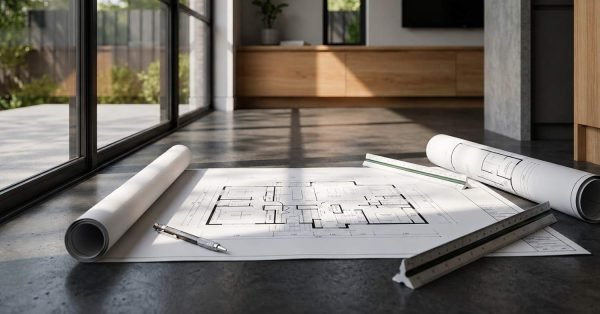
No design tool produces useful output from inaccurate input. Before you open any bathroom planner, you need precise measurements of your existing space. These include the overall room dimensions, the position and height of all existing plumbing outlets, the location of windows and doors, the ceiling height, and the position of any structural walls.
Getting Your Dimensions Right Before You Design
Measure your bathroom at floor level and at bench height. Walls in older Sydney homes are rarely perfectly square, and a design built on assumed right angles will not translate accurately to the physical space. Note any variations in wall alignment and record them in your design tool before placing any fixtures.
Getting your room dimensions right is the single most important step before opening any design tool. Account for wall thickness, door clearances, and plumbing rough-in positions when entering your measurements; these details determine whether your chosen fixtures will actually fit and function as intended.
Visualising Tiles, Fixtures, and Fittings Digitally
One of the most practical applications of bathroom design software is the ability to test tile layouts, fixture finishes, and colour combinations before purchasing anything. This is where homeowners consistently report the highest value from digital planning tools.
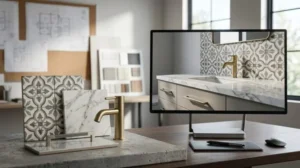
Tile scale has a significant impact on how a bathroom feels. Large-format tiles 600x600mm or 600x1200mm can make a small bathroom feel more spacious but require precise layout planning to avoid awkward cuts at edges and corners. A design tool that supports tile overlay functions allows you to test different formats and orientations before committing to a purchase.
Using Mood Boards and Render Tools to Avoid Regret
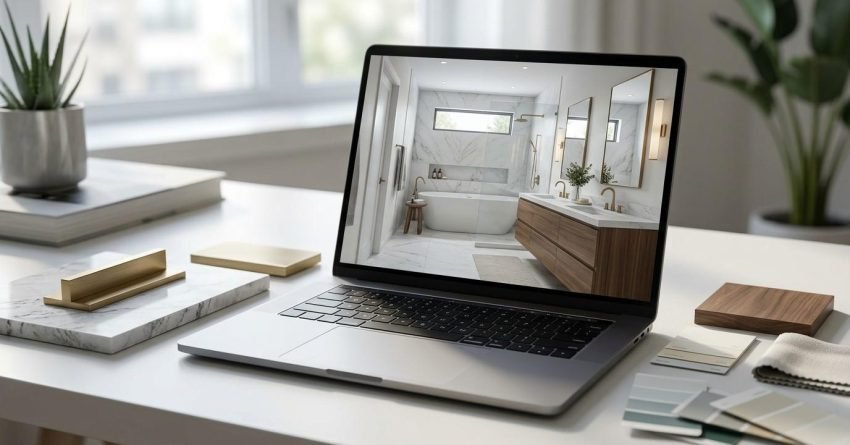
Render tools and mood board builders allow you to combine wall tiles, floor tiles, grout colours, tapware finishes, and vanity tones in a single visual. This is particularly useful for identifying clashes between warm and cool tones, a common source of renovation regret that is difficult to reverse once materials are installed.
Testing tile format, finish, and grout colour combinations digitally before purchasing is one of the most effective ways to avoid costly material mistakes. Size, pattern, and tone interact differently in real renovation spaces than they appear in showroom samples or online product images; seeing them together in a render of your actual room dimensions gives you a far more reliable preview.
Limitations of DIY Design Tools and When to Go Pro
Free and consumer-grade bathroom design tools are useful for exploring ideas and communicating preferences. They are not substitutes for professional design documentation. They do not account for Australian building codes, wet area waterproofing requirements, structural load paths, or trade access constraints.
A layout that looks functional in a browser-based planner may be non-compliant with AS 3740 waterproofing standards, may not provide adequate clearances around fixtures as required by the National Construction Code, or may require a building permit that the tool has no mechanism to flag. Non-compliance discovered after tiling is complete typically means full strip-out and rectification, a cost that dwarfs the original renovation budget.
This is the point at which professional input becomes essential. When design software reaches its limits, particularly around structural changes, waterproofing compliance, or trade coordination, working with a contractor who offers a full renovation service ensures your plans translate accurately into a finished, code-compliant bathroom.
Conclusion
Bathroom design software gives homeowners a powerful starting point a way to test ideas, communicate preferences, and make informed decisions before any money is spent on materials or labour. The best free tools available today are genuinely capable of producing useful planning documents that improve contractor conversations and reduce variation costs.
The value of digital planning compounds when it is connected to accurate measurements, realistic cost awareness, and a clear understanding of what requires professional input. Software handles the visual; a skilled contractor handles the compliance, the trades, and the build.
When we are ready to move from a digital plan to a real renovation, Sydney Home Renovation provides end-to-end bathroom renovation services across Sydney, from detailed cost planning through to quality-finished construction. Contact us to discuss your design and get a transparent, fixed-price quote.
Frequently Asked Questions
What is the best free bathroom design software in Australia?
Planner 5D and RoomSketcher are the most capable free options for Australian homeowners. Both support metric measurements, include standard fixture libraries, and offer basic 3D views without requiring installation.
Can I use bathroom design software to get an accurate quote?
Design software helps communicate your intentions to a contractor, but it does not produce accurate quotes on its own. A contractor needs dimensioned drawings, a fixture specification list, and a site inspection to quote reliably.
Do renovation contractors use 3D design tools?
Many professional renovation contractors use AutoCAD for technical drawings, and some use 3D tools such as Chief Architect or Revit for complex projects. Ask what design documentation your contractor produces before signing a contract.
How accurate are online bathroom planners?
Online bathroom planners are accurate for layout exploration and visual planning but do not account for building code compliance, waterproofing requirements, or structural constraints. We treat them as communication tools rather than construction documents.
What measurements do I need before using a bathroom planner?
You need the overall room length and width, ceiling height, door and window positions and sizes, existing plumbing outlet locations, and any structural wall positions. Measure at floor level and note any wall irregularities.
Is bathroom design software suitable for small bathrooms?
Yes. Design software is particularly useful for small bathrooms because spatial constraints make layout decisions more consequential. Testing fixture clearances and traffic flow digitally is especially valuable in bathrooms under 5 square metres.
Should I design my bathroom before contacting a contractor?
Having a rough digital plan before your first contractor meeting is helpful but not essential. A basic layout and a list of your priorities, fixtures to keep, changes to make, and your budget range are enough for a productive initial conversation.